Never miss a bill due date again.
Electricity, water, gas, phone, internet, rent, credit cards. Every bill hides two or three dates in small print. Take a photo of the bill, or share the PDF from your email, and Invited reads the due date, the amount and any late-fee date, then turns each one into a reminder.


download
Events
Coming up
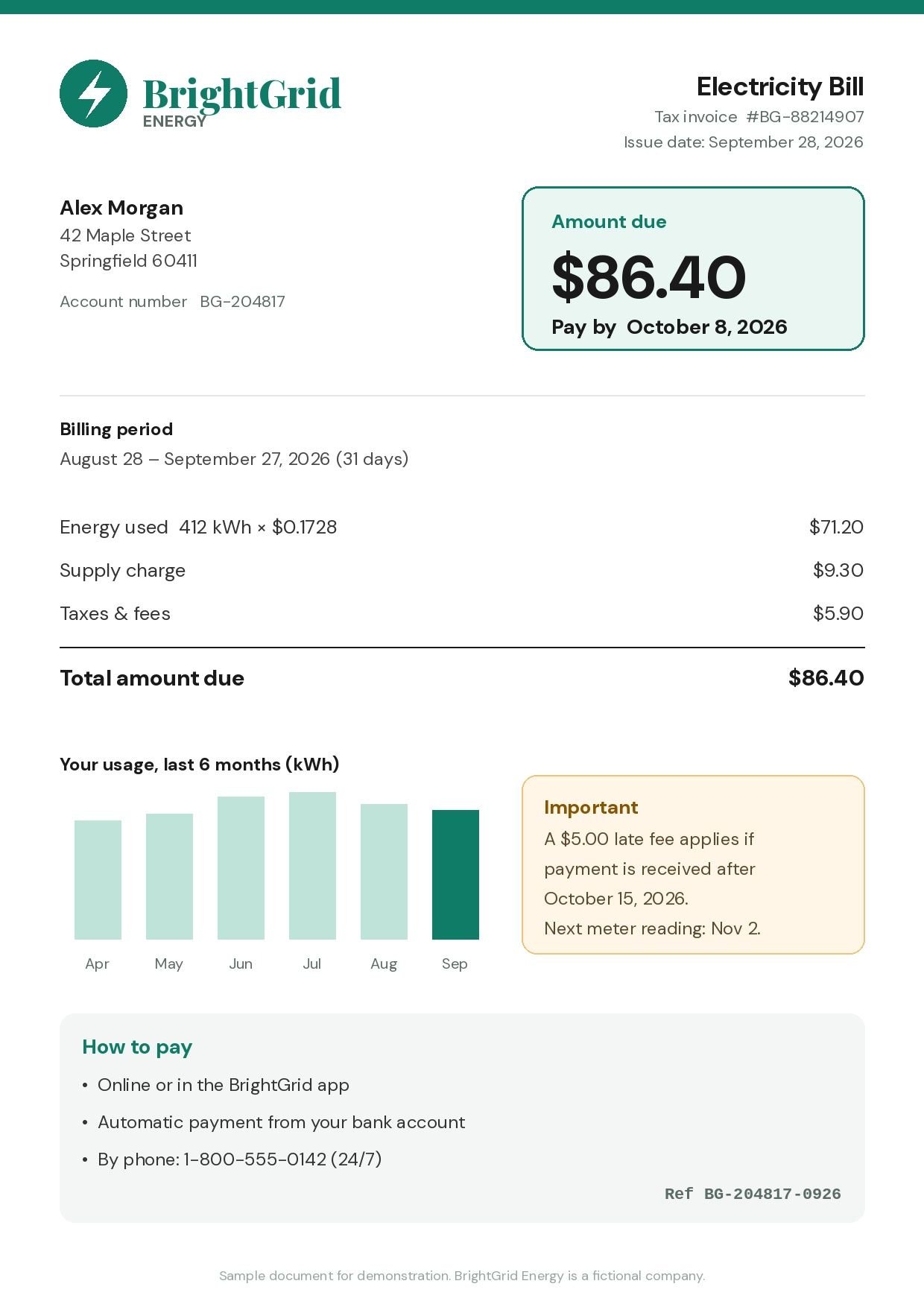
- Pay bill: BrightGrid Electricity ($86.40)
- Late fee starts: BrightGrid ($5.00)
- Car insurance renewal: Harbor Mutual ($412.00)
- Free trial ends: StreamNest ($12.99/month)

How Invited handles bills
- 1
Electricity bill: due date and late fee
A utility bill says "Pay by October 8" and, lower down, "a $5.00 late fee applies after October 15". Invited creates two reminders: one before the due date with the amount, and one before the late fee starts, in case the first one slips.
- 2
Credit card statement
Statements list a payment due date, a minimum payment and a statement balance. Scan the statement and Invited finds the due date and amount, so you get a reminder with the number you need, without opening the banking app to check.
- 3
Rent and recurring household bills
A rent notice, a water bill or a school fee slip works the same way. If there is a date on it, Invited picks it up, and you can set the reminder anywhere from 1 hour to 2 days before.
Why the late-fee date matters
Most utilities add a late fee 5–15 days after the due date. That gap is a second chance, but only if you know about it. Invited catches both dates, so a missed due date does not have to become a fee.
Payments are not always instant. A bank transfer or card payment can take a day or more to reach the biller, especially over a weekend. A reminder 2 days before the due date gives you room; a reminder 1 hour before is a last call.
Bills arrive in different places: paper in the letterbox, PDFs in email, screenshots from a biller's app. Invited accepts all of them: the camera, your photo library, files, or sharing from any app.
You stay in control of every date. Invited shows you what it found before anything is saved, and you can edit or delete any reminder later. Your reminders are saved on your device.
Questions about bills
Can Invited remind me about a bill's late fee as well as the due date?
Yes. One document can create several reminders. If a bill shows both a due date and a late-fee date, Invited finds both and creates a reminder for each.
What kinds of bills can I scan?
Any bill with a date on it: electricity, gas, water, phone, internet, rent, credit card statements and more. You can scan paper bills with the camera, or use a PDF or screenshot.
How early will I be reminded?
You choose: 1 hour, 6 hours, 12 hours, 24 hours or 2 days before. Set a default once and change it for any reminder.
Is it free?
Invited is free to download with 3 free AI scans, and you can create unlimited reminders by hand. Invited Pro gives you unlimited AI scans; the price is shown in the App Store and Google Play.
Keep exploring
Snap it. Invited remembers it.
Free to download. 3 free AI scans. No signup.

download