Turn appointment cards into reminders.
Doctors, dentists, clinics, schools, government offices and service visits still hand out small cards and letters with a date and time. Take a photo before the card gets lost, and Invited creates a reminder with the time and the address. It works just as well for letters sent as PDFs and for booking confirmations you screenshot from a clinic's website.


download
Events
Coming up
- Dentist: Smile Studio check-up
- Pay bill: BrightGrid Electricity ($86.40)
- Late fee starts: BrightGrid ($5.00)
- Car insurance renewal: Harbor Mutual ($412.00)

How Invited handles appointments
- 1
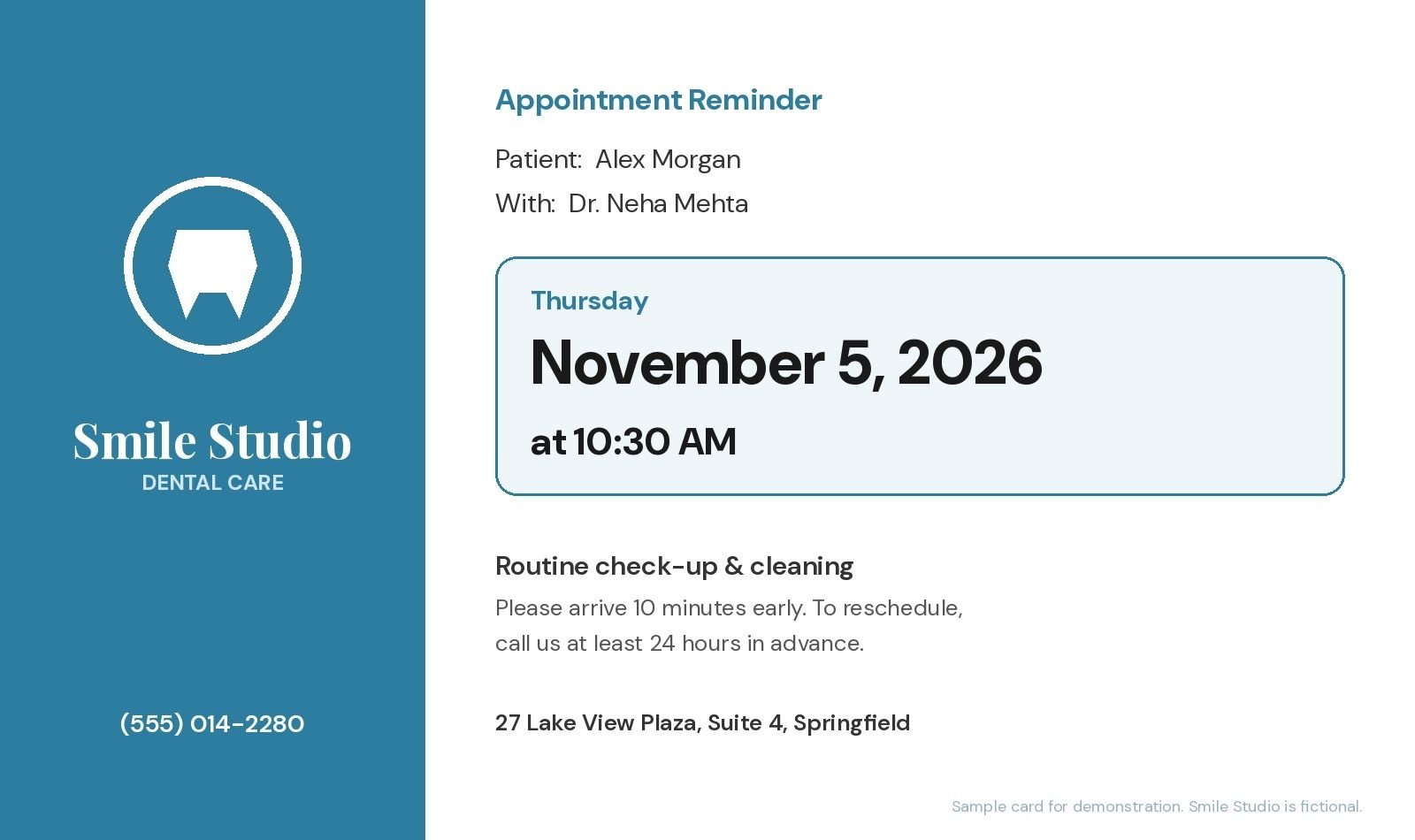
A dentist appointment card
A card says Thursday, November 5, 2026 at 10:30 AM, 27 Lake View Plaza. Invited creates a reminder with the time and the address.
- 2
Hospital and clinic letters
Appointment letters often include arrival instructions and a reference number. Scan the letter and the reminder carries the date, time and place.
- 3
School meetings and service visits
Parent-teacher meetings, repair visits, car services: if a date and time are written down, Invited can remember them.
Tips for never missing an appointment
Pick the reminder time around travel, not the appointment itself. If it takes 40 minutes to get there, a reminder 1 hour before is a "leave now" alert; a reminder 24 hours before is a "plan your day" alert.
Many clinics ask for 24 hours' notice to reschedule, and some charge for missed visits. A reminder the day before gives you time to call if plans change.
Photograph the card the day you get it. Small cards are easy to lose; a photo in Invited is not.
Families can keep everyone's appointments in one list. See our guide to a family calendar that runs itself.
Appointment letters often carry more than one date: a pre-appointment test, the appointment itself and a follow-up. Invited can create a reminder for each date it finds, so a single letter covers the whole visit. You can review, edit or remove any of them before saving.
Questions about appointments
Does Invited pick up the address?
Yes. Invited's AI finds dates, times, places and amounts in the document.
Can I change the reminder time?
Yes. Choose 1 hour, 6 hours, 12 hours, 24 hours or 2 days before, and edit any reminder later.
Does it work with letters sent as PDFs?
Yes. Choose the PDF from your files, or share it to Invited from your email app.
Is my appointment information stored online?
Your reminders are saved on your device. To find the dates, the document you scan is sent securely to an AI service that reads it.
Keep exploring
Snap it. Invited remembers it.
Free to download. 3 free AI scans. No signup.

download