Flights, trains and tickets, remembered.
Travel documents are full of times: departure, boarding, gate closing, check-in. Scan a boarding pass, a train ticket or a booking confirmation and Invited turns the key times into a reminder, with the terminal and gate if they are printed. It works for flights, trains, buses, ferries, concerts and matches: any ticket or booking with a date and time on it.


download
Events
Coming up
- Flight SW 214 · BOM → DXB
- Mehendi
- Haldi
- Sangeet

How Invited handles travel
- 1
A boarding pass
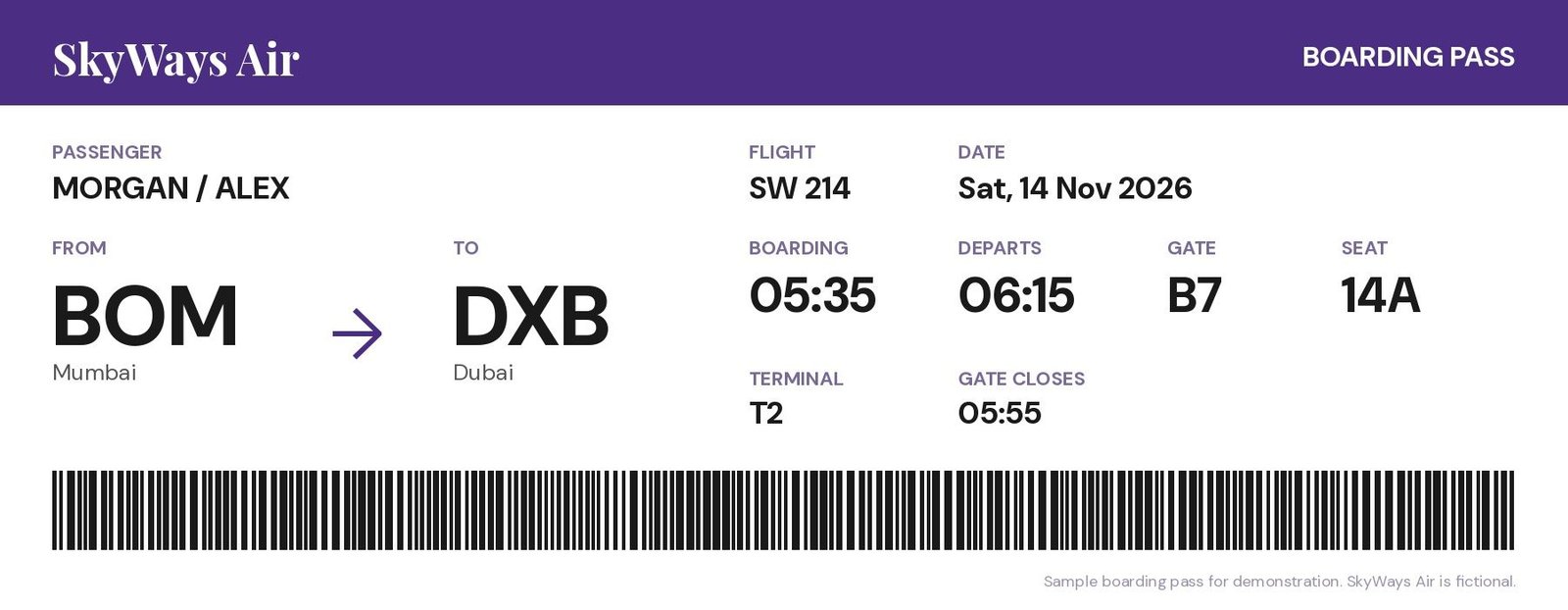
Flight SW 214 from Mumbai to Dubai on Saturday, 14 November 2026, departing 06:15, gate closes 05:55. Invited creates a flight reminder with the departure time, terminal and gate.
- 2
Train and bus tickets
A ticket PDF or screenshot gives you the date, departure time and station, so the reminder tells you where to be and when.
- 3
Event and concert tickets
Tickets for concerts, matches and shows work too: the date, the doors-open time and the venue.
Travel timing: what to watch for
The time that matters most is often not the departure time. Many airlines close the boarding gate 15–20 minutes before departure, and check-in closes earlier still. Your boarding pass or booking says exactly when.
Early flights need an evening reminder. For a 6:15 AM departure, a reminder 12 hours before arrives the evening before: time to pack, check in and set an alarm.
Booking confirmations usually arrive as email PDFs. Share the PDF to Invited, or screenshot the booking in any app.
Screenshots are a fast way to capture tickets on your phone. See how to turn a screenshot into a calendar event.
For trips with several legs, such as an outbound flight, a train connection and a return, scan each booking as it arrives. Your reminders then line up in date order, giving you a simple travel timeline without building an itinerary by hand.
Questions about travel
Can I scan a mobile boarding pass?
Yes. Take a screenshot of it and pick the screenshot in Invited, or share it from any app.
Does Invited track flight delays?
No. Invited creates reminders from the dates and times on your documents. Check with your airline for live flight status.
Can one booking create several reminders?
Yes. If a document has several dates, such as an outbound and a return flight, Invited can create a reminder for each.
Does it work in other languages?
Yes. Invited reads 80+ languages.
Keep exploring
Snap it. Invited remembers it.
Free to download. 3 free AI scans. No signup.

download